



Participants list
An overview of your participants and participant management.
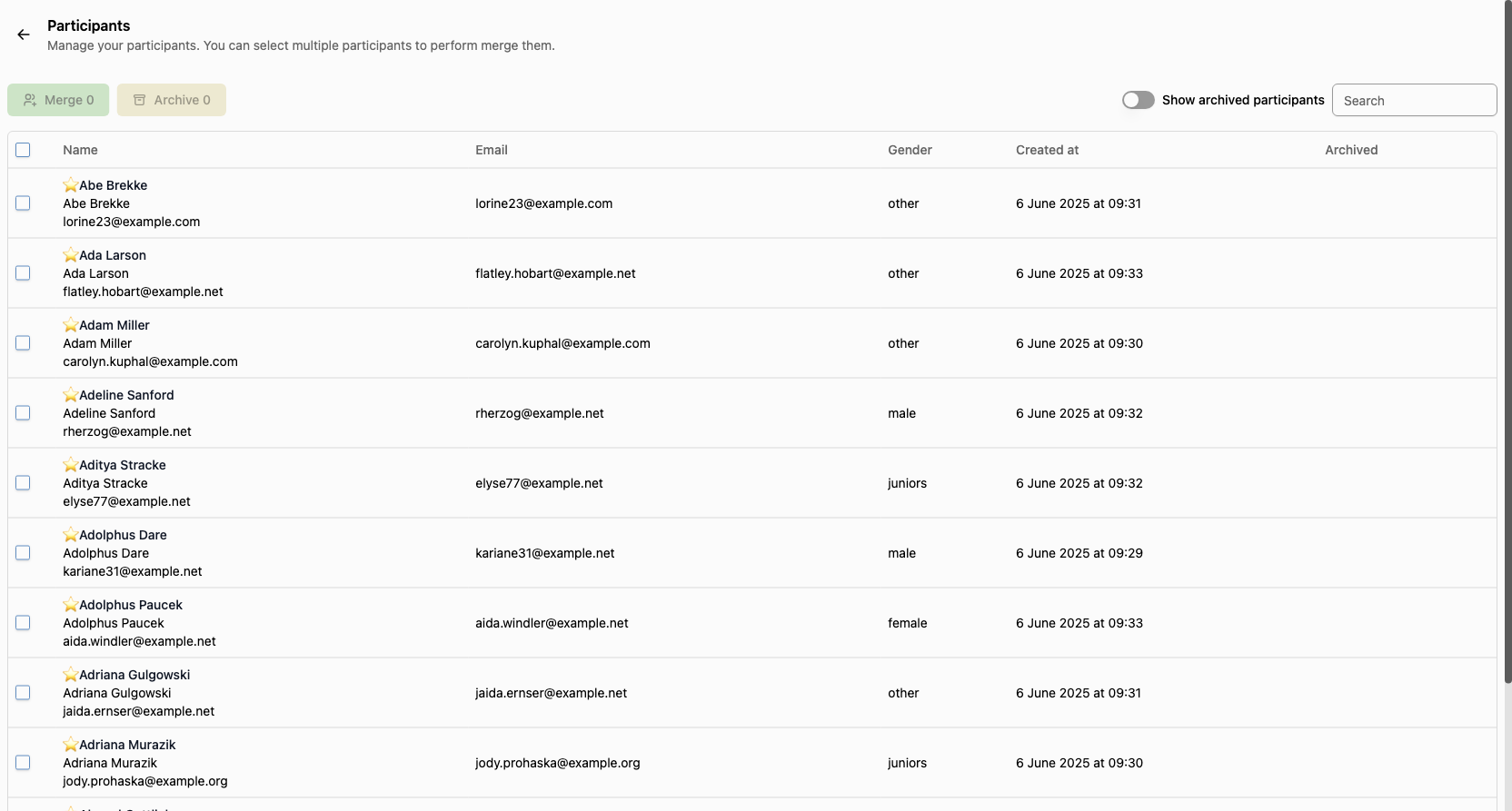
The Participants listing page provides a centralized interface to view and manage all participants. You can search, filter, and perform bulk actions on eligible participants.
Search & Filters
- Show archived participants: Toggle to include or exclude archived participants from the list.
- Search: Quickly find participants by name or email.
Bulk Actions
At the top, you can select multiple participants (using the checkboxes) to:
- Merge: Combine duplicate non-dartsspace participants into a single record.
- Archive: Archive selected non-dartsspace participants to remove them from active lists.
Note: Only non-dartsspace accounts (participants) can be merged or archived. Dartsspace accounts are not eligible for these actions. When merging participants and one of the selected ones is a dartsspace account, the dartsspace account will be kept and the non-dartsspace account will be merged into it.
Table Columns
The participants are displayed in a table with the following columns:
- Name: Participant name (bold) and, if available, a star icon for special status. The email is shown below the name in smaller text.
- Email: The participant's email address.
- Gender: The participant's gender (e.g., male, female, other).
- Created at: The date and time the participant was created.
- Archived: Indicates if the participant is archived.
Tips
- Use the search and filter options to quickly locate specific participants.
- Use the checkboxes to select multiple participants for bulk actions.
- Monitor the archived status to keep your participant list organized.
Why can't I delete a participant?
Since there is historical data associated with participants, we cannot delete them.